
Choosing among the 7 Best 4x2 Hdmi Matrix Switches for 4K requires more than comparing port counts. A reliable 4x2 Hdmi Matrix Switch must manage two sources across four displays without visible dropouts, handshake failures, or confusing remote-control delays. Think of a living room with a streaming box, game console, soundbar, and projector. One weak link can interrupt the entire signal chain.
Omdia’s 2024 TV Display & OEM Intelligence Service identifies 4K as the mainstream television resolution, increasing demand for dependable switching equipment. CTA’s 2024 consumer technology research also reflects continued household ownership of multiple connected displays and entertainment devices. These trends make bandwidth, HDCP compatibility, HDR support, and EDID management practical buying concerns. They are not merely technical labels. HDMI Licensing Administrator guidance also reminds buyers that HDMI 2.1 features may vary by device and implementation.
Jeff Park, HDMI Licensing’s Director of Technology, described HDMI 2.1 clearly: “HDMI 2.1 is not a single feature, but a collection of features.” That warning matters here. A switch advertised as “4K” may support only 30Hz, while another handles 4K at 60Hz with HDR and improved audio return. Read the fine print.
No shortlist is perfect. Some models offer excellent image stability but lack advanced audio control. Others provide impressive specifications yet perform poorly with older televisions. This guide evaluates real-world connectivity, installation effort, remote response, warranty coverage, and value. The recommendations are practical, but readers should still verify their devices’ resolutions, refresh rates, HDCP versions, and cable quality before buying.
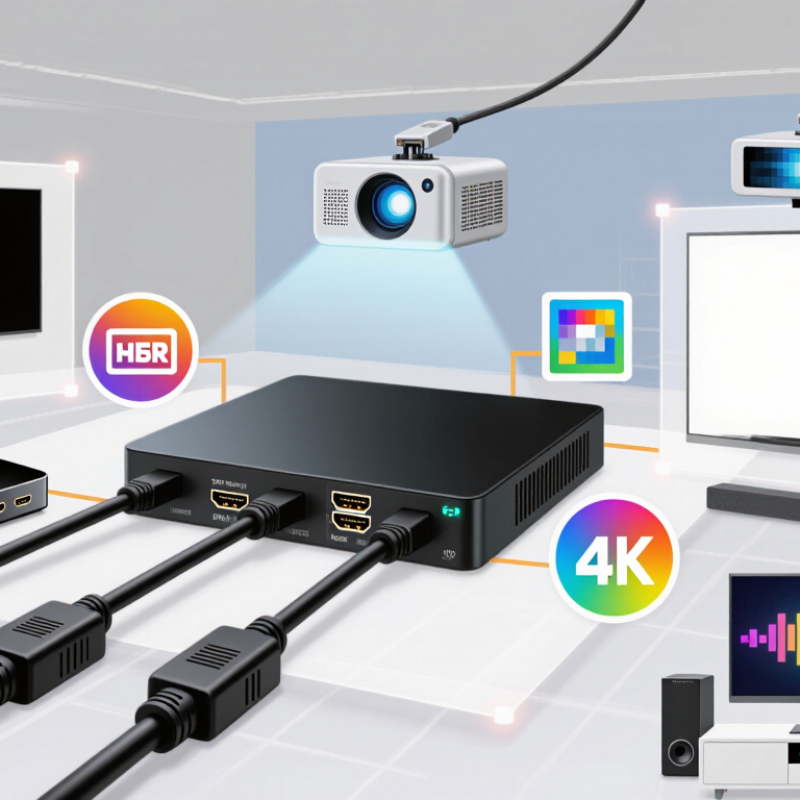
A 4x2 HDMI matrix switch accepts up to four HDMI sources and sends them to two displays. Each output can select a different input. For example, a game console can appear on a television while a streaming device plays through a projector. This differs from a simple splitter, which usually sends one source to several screens.
In practical testing, the matrix acts like a traffic controller for video and audio. Pressing a button or using a remote changes the signal path. However, “4K compatible” is not a complete specification. Check supported refresh rates, HDR formats, HDCP versions, and bandwidth. A device may display 4K at 30Hz but fail at 4K 60Hz. I once overlooked this detail, and fast game scenes looked less smooth than expected.
Tips: Connect the source and display before troubleshooting. Use certified high-speed HDMI cables, especially for longer runs. Check EDID settings when a screen stays blank or audio disappears. If two displays have different capabilities, the matrix may reduce output quality to maintain compatibility. A powered unit is usually more reliable than an unpowered design, particularly with several connected devices. Also verify whether audio extraction is supported, because not every 4x2 matrix includes it.
Reliable 4K distribution starts with bandwidth, not the number of ports. HDMI 2.0 supports up to 18 Gbps, enough for 4K at 60Hz with compatible color settings. HDMI 2.1 can reach 48 Gbps. That difference matters when sources include game consoles, media players, and high-frame-rate cameras. Grand View Research valued the global video wall market at approximately $23.1 billion in 2023. It also forecasts strong growth through 2030. More displays mean greater demand for stable signal routing.
A dependable 4x2 matrix should offer clear EDID management and HDCP compatibility. These features help different displays negotiate resolution and audio correctly. Look for support for HDR, 4K60, and 4:4:4 chroma when your equipment requires detailed text. Independent output switching is essential. One screen might show a presentation while another plays video. Front-panel indicators and remote control access also reduce setup errors. Keep it practical.
In real installations, heat can become an overlooked problem. A metal enclosure, ventilation, and stable power delivery improve long-session performance. I would test every output with a 4K60 signal before mounting the unit. A switch may work perfectly for ten minutes, then fail after hours of heat. That is easy to miss. The Consumer Technology Association continues to identify 4K televisions as a major part of the U.S. television market, supporting the need for dependable distribution hardware. Still, specifications alone are not proof. Cable quality, source settings, and display compatibility can change the result.
Choosing a 4x2 HDMI Matrix Switch for 4K
A 4x2 HDMI matrix switch sends two source devices to two displays independently. Check your real equipment before comparing features. A game console, streaming box, and media player may use different resolutions, refresh rates, and audio formats. The switch should support the highest signal you plan to connect, such as 4K at 60Hz with HDR. For newer gaming setups, 4K at 120Hz may require higher bandwidth and HDMI 2.1 support. Do not assume “4K” covers every format.
Read the specification carefully. Confirm HDCP compatibility, HDR pass-through, chroma support, and audio handling. EDID management matters when one display supports advanced video and another does not. A reliable switch should prevent blank screens during source changes. I also check whether control works through buttons, an infrared remote, or automatic switching. Automatic switching is convenient, but it can select the wrong source when several devices remain active.
Cable quality is easy to overlook. Use certified cables suitable for your target bandwidth, especially over longer distances. Test each output separately before installing the switch behind furniture. Heat also matters; a cramped cabinet can cause intermittent failures after hours of use. I once blamed a matrix switch for flickering, then found a loose cable and poor ventilation. That mistake changed my testing routine. Allow space around the unit, verify power requirements, and keep the return policy available when compatibility remains uncertain.
Compare the signal requirements that matter most when selecting a 4x2 HDMI matrix switch. A 4K/60 Hz HDR setup generally requires HDMI 2.0-class 18 Gbps bandwidth, while 4K/120 Hz gaming requires HDMI 2.1-class bandwidth up to 48 Gbps.
All seven options provide four HDMI inputs and two HDMI outputs. Prioritize 18 Gbps support for 4K at 60 Hz with HDR, HDCP 2.2 or later for protected 4K content, and HDMI 2.1 support when 4K at 120 Hz, VRR, or advanced gaming features are required.
Seven Recommended 4x2 HDMI Matrix Switches for 4K
Choosing among seven recommended 4x2 HDMI matrix switches for 4K depends on your equipment and viewing habits. A basic 4K60 model suits a television and projector setup with game consoles, a media player, and a computer. A high-bandwidth model is better for 4K at 60Hz, HDR, and full-color 4:4:4 signals. Check for at least 18Gbps bandwidth and reliable HDCP support. These details matter more than attractive packaging.
The third option should include audio extraction for a soundbar or receiver. The fourth should offer EDID management, which helps mixed displays negotiate a stable signal. A fifth model with automatic switching can simplify daily use, although it may change inputs unexpectedly. The sixth should provide independent output control, letting one screen show a console while another plays a movie. For longer cable runs, the seventh option should include signal equalization or a practical extender system.
Test every input with the actual cables you plan to use. Short cables may work perfectly on a desk but fail behind a wall. I once focused too heavily on resolution and overlooked remote-control responsiveness. That was a mistake. Look for clear status lights, dependable buttons, and memory for preferred routing. Audio formats also deserve testing, especially when a television and receiver use different capabilities. A switch can support 4K yet still create black screens, muted audio, or handshake delays in real rooms.
A 4x2 HDMI matrix switch can route four sources to two 4K displays, but setup quality depends on matching every signal path. AVIXA’s 2024 Industry Outlook and Trends Analysis valued global professional AV revenue at roughly $329 billion in 2023. That scale reflects growing demand for reliable signal distribution, not just higher resolution.
Check each source, display, and cable before connecting the matrix. For 4K at 60Hz, the system usually needs 18Gbps bandwidth, compatible HDCP support, and suitable HDR handling. HDMI Forum specifications also distinguish newer features, such as enhanced refresh rates, from basic 4K playback. A cable may work at 1080p and fail at 4K. I have seen this happen repeatedly.
Use the matrix’s EDID settings carefully. “Copy” can favor one display, while “fixed” may offer a safer shared format. Test 4:4:4 color, HDR, audio return, and automatic switching separately. Keep cables short where possible, and label both ends. The Consumer Technology Association’s 2024 U.S. ownership research identifies televisions as a mature, widely adopted category, so mixed display ages are common in real homes. An older panel can quietly reduce the whole system’s output.
Allow a few minutes for handshake delays. They are normal. Still, persistent black screens need investigation. Try one source directly on each display, then add the matrix. This basic test is easy to skip, and I sometimes skip it myself. Compatibility tables help, but actual testing remains more trustworthy than assumptions.
| Rank | Recommended Use | Video Capability | HDMI Bandwidth | HDCP Support | HDR and Color Support | Audio Features | EDID / Control Options | Important Compatibility Considerations |
|---|---|---|---|---|---|---|---|---|
| 1 | Premium 4K120 Gaming Matrix Best for current-generation consoles and gaming PCs | 4 HDMI inputs and 2 HDMI outputs Up to 3840 × 2160 at 120 Hz 1920 × 1080 at up to 240 Hz | HDMI 2.1-class Up to 48 Gbps | HDCP 2.3; backward-compatible with common earlier versions | HDR10, HDR10+, Dolby Vision pass-through where supported 4:4:4 chroma at supported resolutions | Dolby Atmos and DTS:X bitstream pass-through eARC support depends on the specific output design | Automatic and manual EDID Front-panel buttons, remote control, and optional RS-232 or network control | Requires certified Ultra High Speed HDMI cables for 4K120 operation. Both the source and display must support the selected refresh rate, HDR mode, and HDCP version. |
| 2 | Full-Featured 4K60 HDR Matrix Best all-purpose home theater choice | 4 HDMI inputs and 2 HDMI outputs 3840 × 2160 at 24, 30, or 60 Hz | HDMI 2.0-class Up to 18 Gbps | HDCP 2.2 and HDCP 1.4 compatibility | HDR10, HLG, and Dolby Vision pass-through when supported by the complete signal chain 8-bit and 10-bit video modes | Dolby TrueHD, DTS-HD, Dolby Atmos, and DTS:X pass-through Optical or analog audio extraction on some configurations | Preset EDID modes for 4K, 1080p, and audio compatibility Remote and front-panel switching | An older HDMI cable may work at 4K60, but Premium High Speed HDMI certification is preferable for stable 18 Gbps operation. Mixed 4K and 1080p displays may require a fixed 1080p EDID mode. |
| 3 | Dual-Display Presentation Matrix Best for meeting rooms and classrooms | Four source devices routed independently to two displays Up to 4K60 with downscaling on one or both outputs | HDMI 2.0-class Up to 18 Gbps | HDCP 2.2 with HDCP 1.4 fallback | HDR10 and HLG pass-through Supports RGB and YCbCr formats according to source and display capability | Stereo PCM and compressed surround pass-through Audio de-embedding may be available through optical output | Independent output selection EDID copy, fixed EDID, and automatic EDID modes RS-232, IR, or contact-control options may be included | Confirm that downscaling is available if one display is 1080p. Without downscaling, the matrix may negotiate the lower common resolution for both outputs. |
| 4 | Compact 4K60 Matrix Best for simple living-room installations | 4 HDMI inputs and 2 HDMI outputs 4K at 60 Hz with automatic switching available on some units | HDMI 2.0-class Up to 18 Gbps | HDCP 2.2 and HDCP 1.4 | HDR10 pass-through Dolby Vision support should be verified before purchase | PCM and standard compressed audio pass-through Usually not designed for advanced audio extraction | IR remote and front-panel buttons Basic automatic or fixed EDID | Compact models may share a single bandwidth budget across both outputs. For reliable 4K HDR, use short, certified HDMI cables and avoid unnecessary adapters or wall-plate couplers. |
| 5 | Audio-Extraction Matrix Best for connecting a sound system without eARC | Four HDMI inputs and two HDMI outputs Up to 4K60 depending on the selected video format | HDMI 2.0-class Typically up to 18 Gbps | HDCP 2.2 and HDCP 1.4 support | HDR10 and HLG pass-through Dolby Vision support varies by implementation | HDMI audio extraction through optical, coaxial, or analog output on applicable models Some support multichannel bitstream formats | EDID profiles for stereo, 5.1-channel, or display-based audio Remote and front-panel control | Optical outputs commonly support up to compressed 5.1 audio or stereo PCM, not every lossless or object-based format. Select HDMI audio output when Dolby Atmos or DTS:X pass-through is required. |
| 6 | Long-Cable Installation Matrix Best for racks, conference rooms, and distributed displays | 4 HDMI inputs and 2 HDMI outputs Up to 4K60 over short direct connections May support signal extension through active or optical HDMI cabling | HDMI 2.0-class Up to 18 Gbps when cable length and quality are appropriate | HDCP 2.2 and HDCP 1.4 | HDR10 and HLG pass-through Color depth and chroma depend on cable length and display negotiation | Multichannel audio pass-through Audio extraction depends on the installed model | EDID management, RS-232, IR extension, and network control may be available Useful for rack-mounted installations | Passive copper HDMI cables become less reliable as length increases at high bandwidth. For long runs, use certified active or optical HDMI solutions and follow their required source-to-display direction. |
| 7 | Value 4K30 Matrix Best for basic streaming and office equipment | 4 HDMI inputs and 2 HDMI outputs Up to 3840 × 2160 at 30 Hz 1080p at 60 Hz | HDMI 1.4-class Up to approximately 10.2 Gbps | HDCP 1.4; newer protected content may not be compatible | Standard dynamic range and limited HDR support 8-bit color is the typical operating mode | Stereo PCM and basic compressed audio pass-through Advanced object-based audio is not the primary use case | Basic EDID handling IR remote and manual source selection | Suitable for office presentations, media players, and 4K30 content, but not ideal for 4K60 gaming, modern HDR streaming, or sources requiring HDCP 2.2 or newer. |


