How to Choose the Best Wearable Technology Glasses
Choosing the right Wearable Technology Glasses starts with a simple question: what should they help you do? Some models focus on calls and audio, while others add a small display, camera, or hands-free access to phone features. The labels can sound similar. Their everyday use may feel very different.
Think about where you will wear them. A bright display that looks clear indoors may be harder to read outside. Frames that feel light for ten minutes may press against your ears after an hour. Try them on, if possible, and check how they fit with your usual glasses or prescription lenses. Confirm lens options with the manufacturer or an eye-care professional.
Then compare practical details, not just feature lists. Check battery life for your typical day, phone compatibility, control methods, and whether the glasses need a companion app. If they include a camera or microphone, review how recording is indicated and what settings you can manage. Small details matter.
No pair is perfect. That can be frustrating. A model with more features may cost more, need frequent charging, or feel less comfortable. A simpler pair may suit daily calls better than a display you rarely use. Read current specifications and independent reviews, and check the return policy before buying. Product capabilities can change between versions, so verify the exact model rather than relying on broad claims. This guide explores how to weigh comfort, functionality, privacy, and value, so your choice fits your routines—not just a polished demonstration.
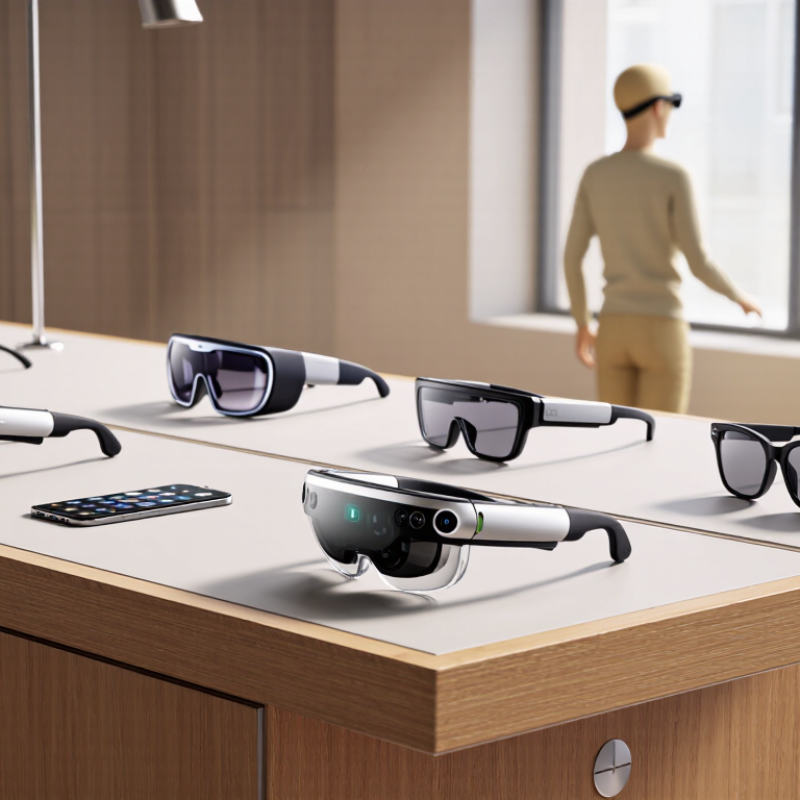
Define Wearable Technology Glasses and Distinguish Smart Glasses from AR Headsets
Wearable technology glasses are eyewear with built-in electronics, such as microphones, speakers, cameras, or displays. The term covers very different devices. Some smart glasses play audio or show notifications, but have no visual screen. That label can mislead. Augmented reality (AR) glasses add digital images to the wearer’s view of the real world. AR headsets usually offer richer visuals and spatial tracking, which helps place virtual objects in a room. The boundary is not always neat; product names alone can obscure what a device actually does.
Counterpoint Research’s Smart Glasses Model Tracker reported that smart-glasses shipments rose 73% year over year in the first half of 2024. That growth signals interest, but it does not mean every pair offers AR.
Check the specifications: does the display sit in your line of sight, and can it anchor graphics as you turn your head? Try reading a notification near a bright window, then test audio in a noisy street. Also examine weight, battery life, prescription-lens support, and recording indicators. Small details matter. A camera-equipped pair may feel like ordinary eyewear, while an AR headset can feel heavier and more immersive. Choose by the task you need, not the category printed on the box.
Assess Fit, Prescription-Lens Support, Battery Life, and Device Compatibility
Choosing wearable technology glasses starts with fit, not feature lists. Check the bridge and temple arms after ten minutes, then look down and turn your head. The frame should stay steady without pinching. Small pressure can become distracting during a commute or a long workday. Prescription support deserves equal attention: The Vision Council’s 2023 Consumer inSights research found that about 76% of U.S. adults use some form of vision correction. Ask whether the frame accepts your prescription, including your lens type and strength, and whether lens replacement affects sensors or display alignment. “Prescription-ready” can mean different things.
Battery claims need context. Compare expected runtime with your own routine, including calls, audio, and display use; a short test in a quiet room may not reflect a full day outside. Check charging time and whether the glasses remain useful when the battery runs low. Not a small detail. Compatibility matters too. Confirm the operating system, phone model, required app, and connection features before buying. IDC reported 534.6 million wearable-device shipments worldwide in 2024, showing how broad the category has become, not that every device works with every phone. Try pairing the glasses yourself, if possible. I would still leave room for doubt: comfort and battery performance can change with prescription lenses, temperature, and daily habits.
Use Market Context: Counterpoint Reported 210% Smart-Glasses Shipment Growth in H1 2024
Counterpoint reported 210% growth in smart-glasses shipments during the first half of 2024. That figure points to rising interest, but it does not guarantee that every pair suits your daily routine. Shipment growth measures products sent to market, not comfort, reliability, or long-term value. Treat the market signal as a reason to compare carefully, not rush.
Think about where you will wear the glasses. If you walk outdoors, check whether the lenses remain clear in changing light. For calls or audio, consider microphone placement and sound leakage in a quiet room. Try the frame for several minutes; pressure near the nose or ears can become distracting. Battery life matters too, especially if you expect to use connected features throughout the day. Small details count.
Tips: List your three essential features before shopping. Check fit, controls, privacy settings, and compatibility with your phone. Read independent reviews, and look for repeated complaints rather than one dramatic comment. Ask about repair options and replacement parts. A fast-growing category can still have uneven products. I would not assume the newest design is the most practical; that is an easy mistake to make.
How to Choose the Best Wearable Technology Glasses
Counterpoint Research reported that global smart-glasses shipments grew 210% year over year in the first half of 2024. This indexed comparison sets H1 2023 shipments to 100; a 210% increase makes the H1 2024 index 310. When comparing wearable glasses, consider comfort, battery life, display needs, and privacy features alongside market growth.
Source: Counterpoint Research. Shipment figures shown as an index, not unit totals.




